Every sit.
The real reason.
Record the sit. Score it against your process. Know why it closed, or didn’t.

- 0:00:05Greeting at the door
- 2:14:32A call; recording resumed at 2:18:05
- Not heardPrice conditioning
- 2:55:45Price shock
- 4:12:00PNS
For teams that sell at the kitchen table.
- Remodeling
- Roofing
- Windows and doors
- HVAC
- Solar
- Dental
- Med spa
- Field teams in SaaS
- And more
How it works
Record
Slide to start at the door. The rep says the line, the phone keeps the whole sit.
Sample data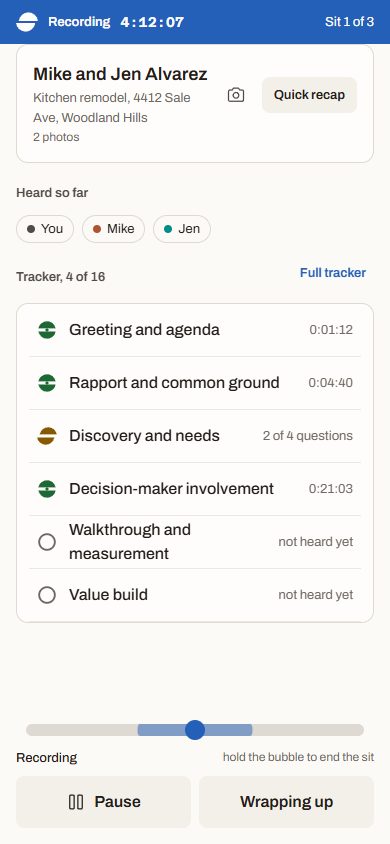
Score
Every stage of your playbook, heard or missed, with the minute that proves it.
Sample data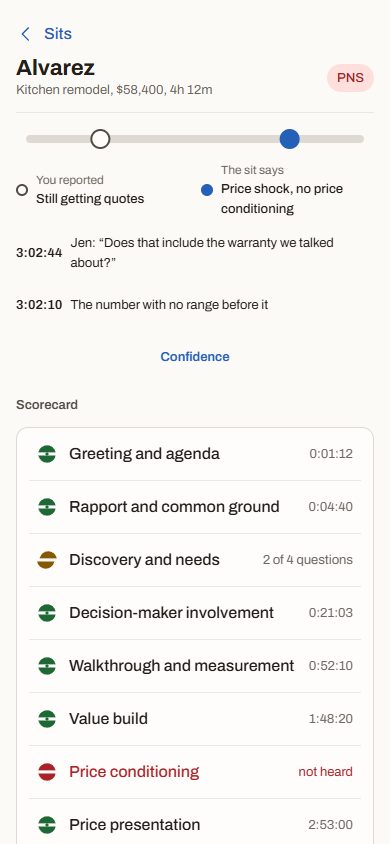
Mentor
Level tells the rep what happened before the next door. Managers review in minutes.
Sample data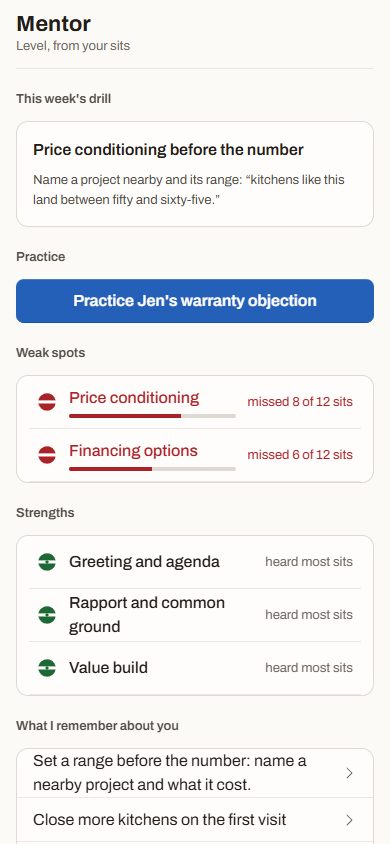


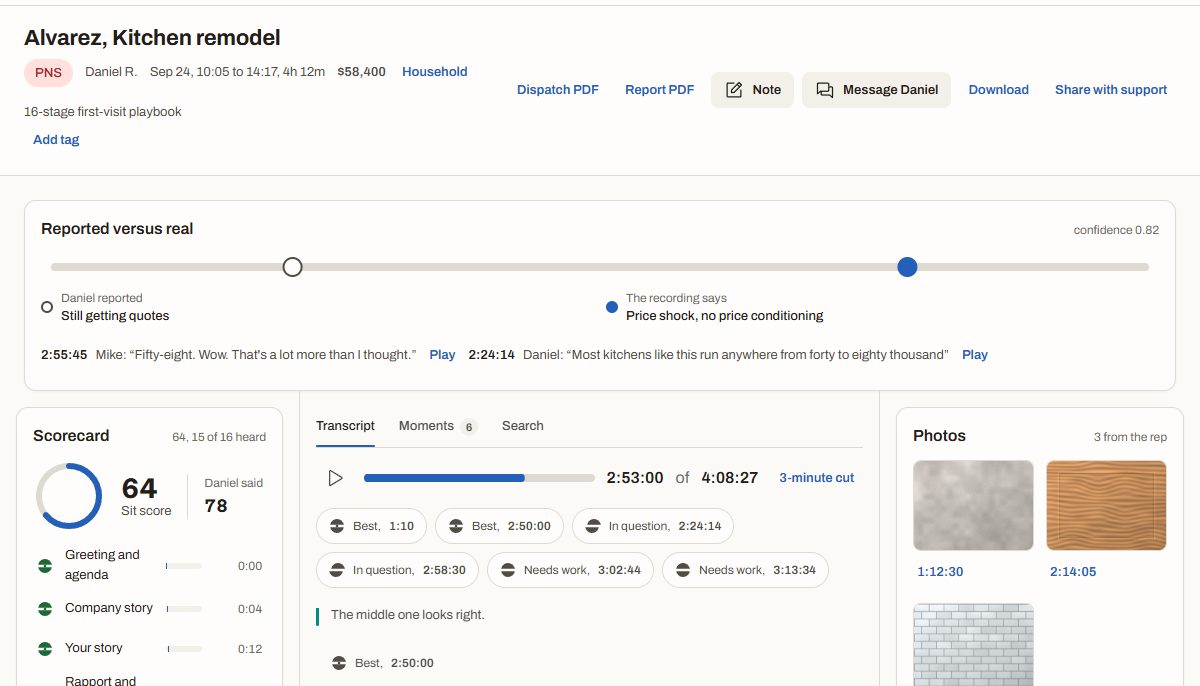
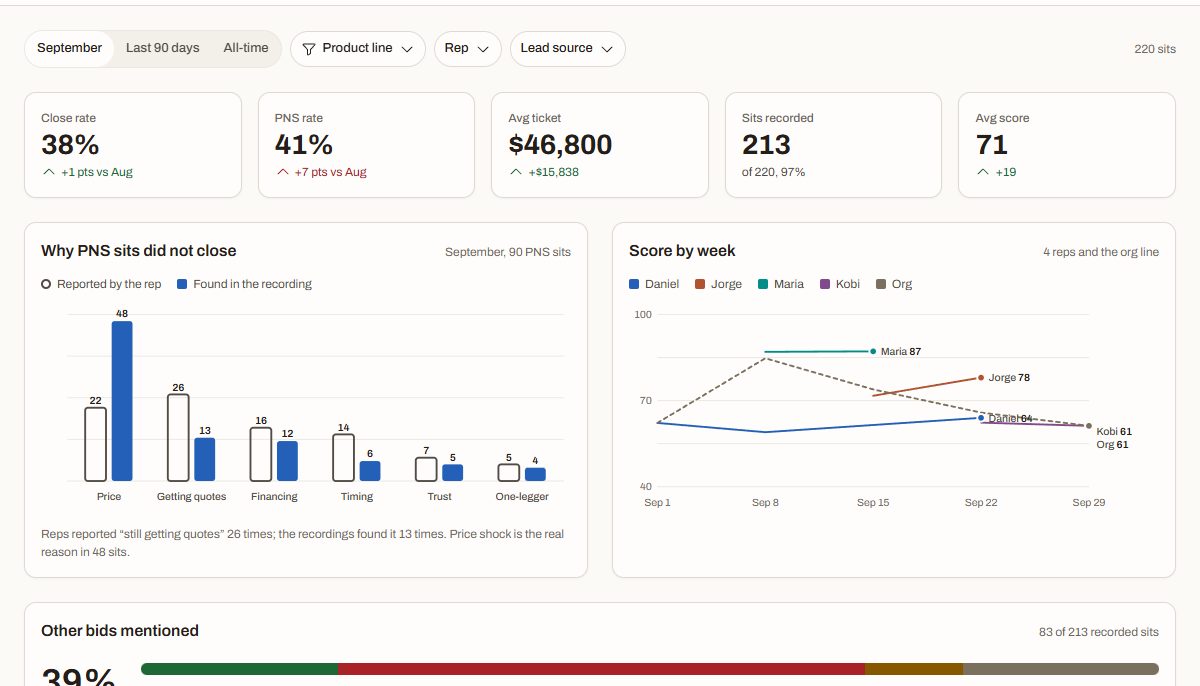
The reason on the CRM is the rep’s story. The recording has the sit’s.
Every sit ends with two reasons side by side, and the minute that proves the real one.
- 2:24:14Daniel:
Most kitchens like this run anywhere from forty to eighty thousand.
- 2:55:45Mike:
Fifty-eight. Wow. That’s a lot more than I thought.
- 3:02:44Jen asked about the warranty. Nobody answered her.
The product
Sample data


Record
The consent line, then the whole sit, through calls and dead zones.
Sit review
Scored against your playbook, with the reported reason beside the real one.
Mentor
Level tells the rep what happened, and the drill for this week.
Team
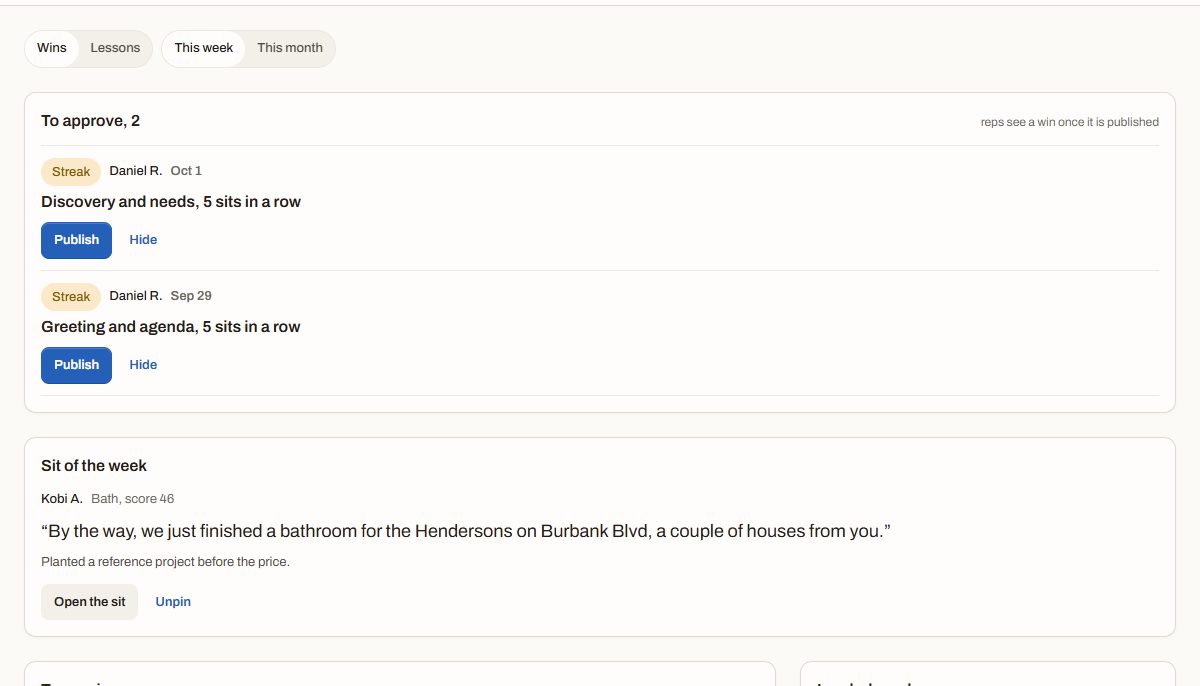
Live sits, notes at the exact moment, tasks, and shared wins.
Insights
Close rate, PNS reasons reported and real, by rep and lead source.
Connect
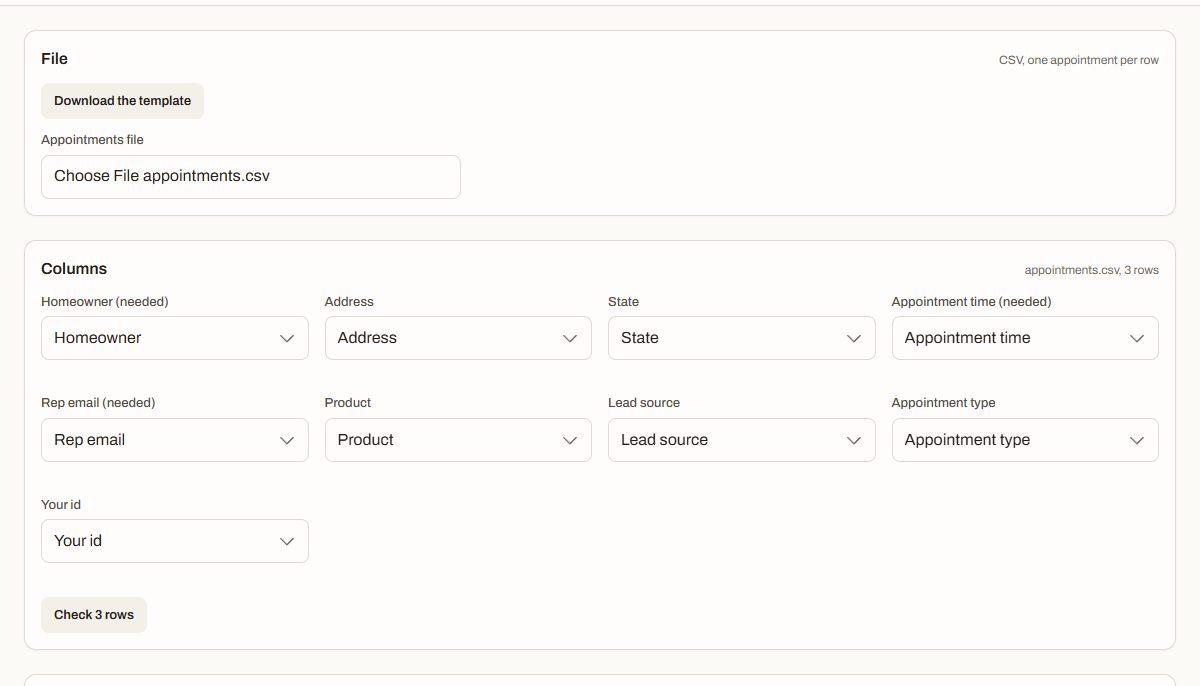
Appointments in by CSV, sits out by API and signed webhooks.
Founding teams
Now onboarding a few founding teams in California. They shape the roadmap.
Questions
Is recording legal where I work?
Recording law is set by state: some states need everyone in the conversation to agree, others need only one person, which can be the rep. Before every sit the phone shows the rule for that sit’s state, from your organization’s consent table, and the line the rep says; where everyone must agree, Start waits until the rep taps I said it, and the sit keeps which version of the line was used. This is not legal advice, so check your states with your own counsel.
How do reps take it?
The rep runs the recording: nothing records until they slide to start at the door, and they end it when they leave. If they forget, it pauses after a stretch with nobody talking and ends after a set number of hours. After each sit the rep gives their own score and reason before they see ours, their private notes stay theirs, and Mentor shows them the one thing to work on this week. Location is shared only if the rep turns it on.
Who owns the recordings?
Your company does. Recordings, transcripts and notes belong to your organization; we store and process them to run TrueSit for you, and we never sell them. Org admins set retention, export data and delete sits; managers can listen and comment but cannot download, export or delete. When a rep leaves, their sits stay with the company.
What if a call comes in, or there is no signal?
The recording pauses for the call, marks the gap in the transcript and picks up again after it; if it cannot resume on its own, the phone keeps alerting the rep until they act. With no signal, the phone keeps the sit in encrypted pieces and uploads them when it can. If the app is closed mid-sit, a Not recording alert asks the rep to resume.